Why simple passwords often fail
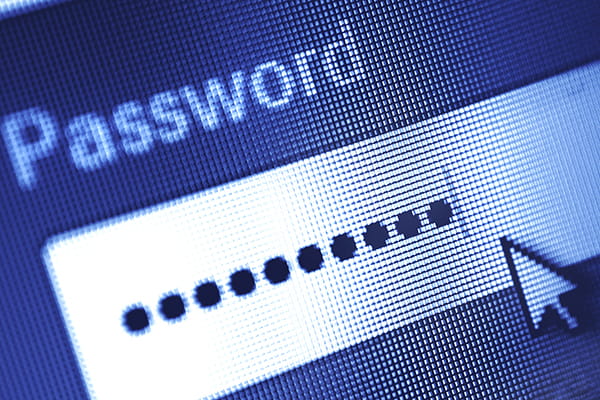
A short password, even one with a capital letter and a number thrown in, doesn't take long to crack. Automated tools can run through huge numbers of combinations in a short space of time, and predictable patterns like swapping "o" for "0" barely slow them down.
Length beats complexity
Length matters far more than complexity. A longer string of characters simply gives an attacker more combinations to work through, which is what makes it harder to break. This is the whole reasoning behind moving away from short, complicated passwords and towards something longer instead.
Skip the password, try a passphrase
Forget cramming symbols into a single word. The strongest approach is a passphrase: four or more random words strung together, like "crystal onion clay pretzel" or "red house sky train". These are longer than a typical password, which makes them far harder to crack, but they're still easy for you to remember because they don't need to make grammatical sense.
What makes a passphrase strong
A good passphrase should be:
- Long, ideally four words or more
- Unpredictable, so avoid phrases from songs, movies or famous quotes
- Unique to that one account
If a website insists on a capital letter, a number or a symbol, you can simply work one into your passphrase rather than starting from scratch.
Picking words that work
The four words in a passphrase should be genuinely random rather than plucked from a familiar phrase or sentence. Stringing together words that already appear together in a book title, song lyric or saying gives an attacker a shortcut, since those combinations are exactly what cracking tools are built to try first.
Keeping it personal-free
Choosing words with no logical connection to each other, and no connection to your own life such as a street name or a family member, keeps the passphrase unpredictable. It doesn't need to be complicated to remember. An unusual combination of ordinary words is often easier to recall than a jumble of symbols, and just as secure, if not more so.
One passphrase per account
Reusing the same passphrase across multiple accounts undoes a lot of the benefit of choosing a strong one in the first place. If a single account is compromised, an identical passphrase elsewhere hands an attacker access to everything else too. Each account, particularly anything tied to banking, email or personal information, deserves a passphrase of its own.
Let a password manager do the remembering
Nobody wants to memorise twenty different passphrases for twenty different accounts, and you shouldn't have to. A password manager stores them all for you, so the only thing you need to remember is one master password to unlock the lot.
Random passwords for accounts you rarely touch
Password managers can also generate long, completely random passwords for accounts where a memorable passphrase isn't necessary, such as ones you rarely log into manually. The longer and more scrambled the password, the tougher it is to break, and a password manager takes the effort out of creating and storing them. Rather than juggling passwords in your head or writing them down somewhere they could be found, everything sits in one secure, encrypted place.
Add multi-factor authentication where you can
A strong passphrase is excellent protection, but multi-factor authentication is even better. It adds a second checkpoint, such as a code sent to your phone, so that even if someone gets hold of your password, they still can't get into your account. Where MFA is available, switch it on. Where it isn't, a strong, unique passphrase is your best line of defence.
Where to start
Updating every account at once can feel like a lot, so there's no need to overhaul everything in one sitting. Starting with the accounts that matter most, such as email, banking and anything storing personal documents, makes the biggest difference first. From there, a password manager can gradually take over the rest as you log into each account and update its details.
Choose four or more random words for anything important, make each account's passphrase different from the rest, and let a password manager carry the mental load. It's a small change that makes a real difference to how safe your accounts are.